Coding with AI means different things to different people. Some call it glorified autocomplete with Github Copilot, others copy-paste code snippets from ChatGPT, and some hand over control over their computer to Claude Code and never look into the code again.
This post starts the agentic coding series. Our goal is to structure our knowledge around interacting with LLMs (Large Language Models). We’ll discuss different ways of interacting with LLMs, understand the difference between agent loop and harness, compare different harnesses available on the market and even build our own agent.
Note: This series is presented from a pragmatic engineering standpoint. AI as tools for programmers is an emerging topic and we are trying to comprehend the tools available and use them to our advantage.
Vocabulary
Before we explore the world of coding agents, we need to clarify the terminology. Because everything is AI today, we need to establish vocabulary to distinguish components of our toolkit.
Large Language Model (LLM)
We can treat LLM as a blackbox that accepts input text and returns its continuation. By its nature it’s nondeterministic - two subsequent invocations with the same input will likely yield different results, but resulting text is very likely semantically meaningful for humans and at least sounds correct.
Models are created in a training process. Very large source datasets of (not only) text are used to build a model. Raw model, when asked a question will (to some extent) reason on its own, but asked for facts it will only be able to quote those present in the dataset. Asked for facts beyond the dataset (e.g. something that happened after the dataset cutoff) it can hallucinate - generate a plausible-sounding fake response.
One important implementation detail about models is that before producing the response, they split the input text into tokens - token can be an entire word, set of words or a single letter. Why they do this and how this helps is outside of scope of this blog post. From our point of view tokens are important because of money. In enterprise scenarios, model usage is priced by the amount of tokens sent to the model and produced by it.
Foundation models vs Local models
Do we always have to pay for the LLM usage? No, we don’t! Models can be categorized in many ways, but price wise we have roughly two options
-
Foundation models - the ones everyone has heard of like OpenAI’s GPT, Anthropic’s Claude, Google’s Gemini and so on. The big companies build them and offer them over the API - you likely used one of those already. The catch is all the interaction with the model happens in the cloud, you always need to send the data to third party, which can use it to their liking - including using it to train their models or analyze your usage patterns. This is very convenient, gives you access to very advanced models for little to no money. The downside is the risk of sharing confidential data with them - which might not be legal in case you process user data this way.
-
Local models - models that have been released to the public with permissive licenses - ones that allow you to download and run the model for your own use case, often in enterprise setup. Such models include DeepSeek, Qwen, Gemma, Kiwi, Nemotron and many more. They can be found in repositories like HuggingFace or Ollama. Depending on the model size you can run it in your own server infrastructure, but often high end laptop or PC will do! At the time of writing this post Qwen 3.8 27B has been released and demonstrates excellent results for a model that can be ran on an expensive laptop instead of datacenter.
Agent
An agent is a program that reads data from available sources (perceives its environment), makes autonomous decision about the next step, and performs actions or produces responses (acts upon its environment).
See https://cs.lmu.edu/~ray/notes/agents/
Agentic Loop
Loop is the core of agent’s runtime. Think of a while loop that can run forever or for a fixed amount of iterations. Most agentic loops work like this:
- Send the context prompt to LLM
- Retrieve the response
- Inspect the response for agentic instructions like tool calls or MCP invocations
- Optionally perform permission check
- Execute the tool, append the results to the context
- Repeat the loop until LLM no longer request tools and the result is ready
  flowchart TD
    P["User prompt"] --> LLM[LLM]
    LLM -->|"response"| Q{"Tool call?"}
    Q -->|"no, answer ready"| R[Final answer]
    Q -->|"yes"| G{"Permission check"}
    G -->|"granted"| T[Execute tool]
    T -->|"append result to prompt"| P
    G -->|"denied, append reason to prompt"| P
Context
Context - initially user prompt, grows with all findings and environment interactions in each loop iteration. The initial value for context is the user input appended to something we call system prompt - a fixed portion of text that informs the LLM what’s its persona, what environment it is running in.
Agentic Tools
In contrast to the LLM, tools are usually functions or programs that the LLM can ask to be invoked. They can serve two purposes:
- Extend the context of the session to include extra information needed to produce correct response. Examples:
grepweb searchweb fetchread fileragqueries
- Act on users request - when you ask agent to write code, reconfigure the system, install software. Examples:
edit file- running arbitrary
bashcommands
Model Context Protocol (MCP)
When working with agents you’ll likely see other names for AI tools. You might see connectors, integrations or MCP servers. MCP is an open source integration standard between agents and applications. They are still tools, they enhance agent’s capabilities to perceive the environment and act upon it. The protocol is just an implementation detail.
See https://modelcontextprotocol.io/
Agentic Harness
Harness is an application that combines everything agentic together. It is a program - can be a website, can be desktop app, terminal app or IDE plugin - you name it. It encapsulates agent loop, provides configuration options to connect LLM provider, has some built in tools and maybe preconfigured integrations. Each implementation is different:
- web version like https://chatgpt.com/ is straightforward, it has built in web access and login is simple
- terminal app (TUI) like https://claude.com/product/claude-code allows the agent to interact with your PC directly (for better or worse)
- IDE plugins like https://code.visualstudio.com/docs/setup/copilot are a straightforward way to give agent access to your code, compiler, test framework etc
With the vocabulary defined, let’s see those parts work together in an example.
Agentic loop in action
To put it into perspective, let’s see an agentic system in action by prompting a trivial question to https://chatgpt.com/. We’re asking
What is https://michal.pawlik.dev/ about
First, the agent calls the web fetch tool to read https://michal.pawlik.dev
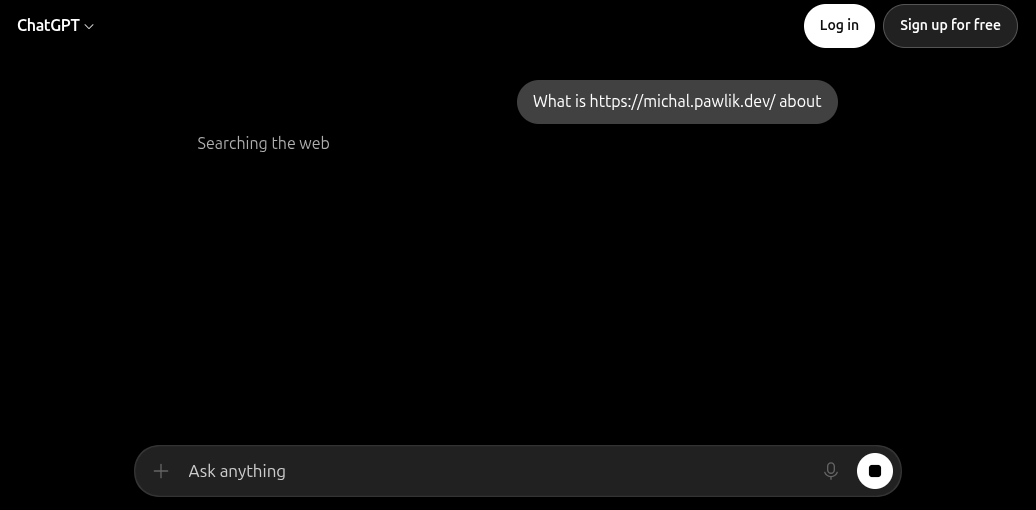
When it receives the website content, another iteration decides to fetch https://blog.michal.pawlik.dev - so agent invoked subsequent tool call. The subsequent tool calls are not surfaced by the agent UI, but we’ll see it from the sources.
The answer consists of the homepage summary, as well as brief summary of the blog.
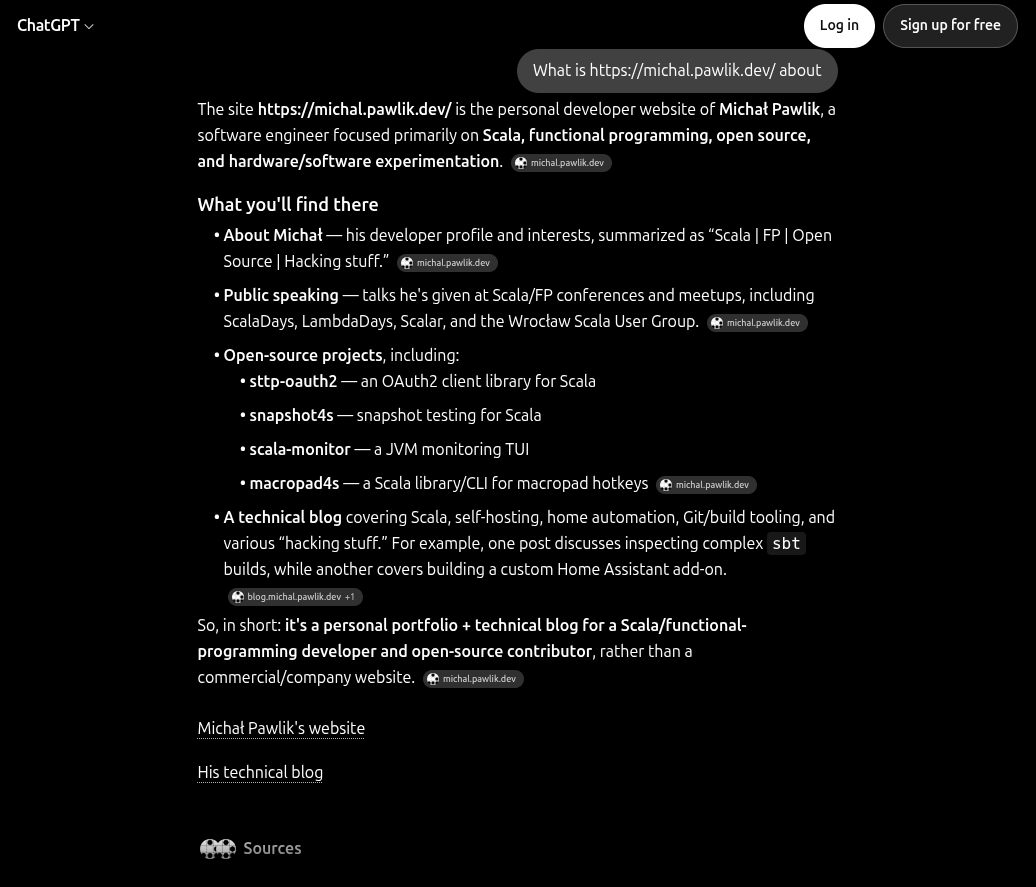
The sources section below the answer is another proof that two sites have been fetched, which means two tool calls were made.
Session link: https://chatgpt.com/uc/6a846fb6-a788-83ea-975e-6e0c44ee6fa9
What’s next
That’s all the vocabulary we need for now. In the next part we’ll have a closer look into coding agents.